
AI Prompt
50 AI Trending Prompts You Should Try Right Now
Create stunning, professional email signatures in seconds with our advanced AI Signature Generator — no design skills required.
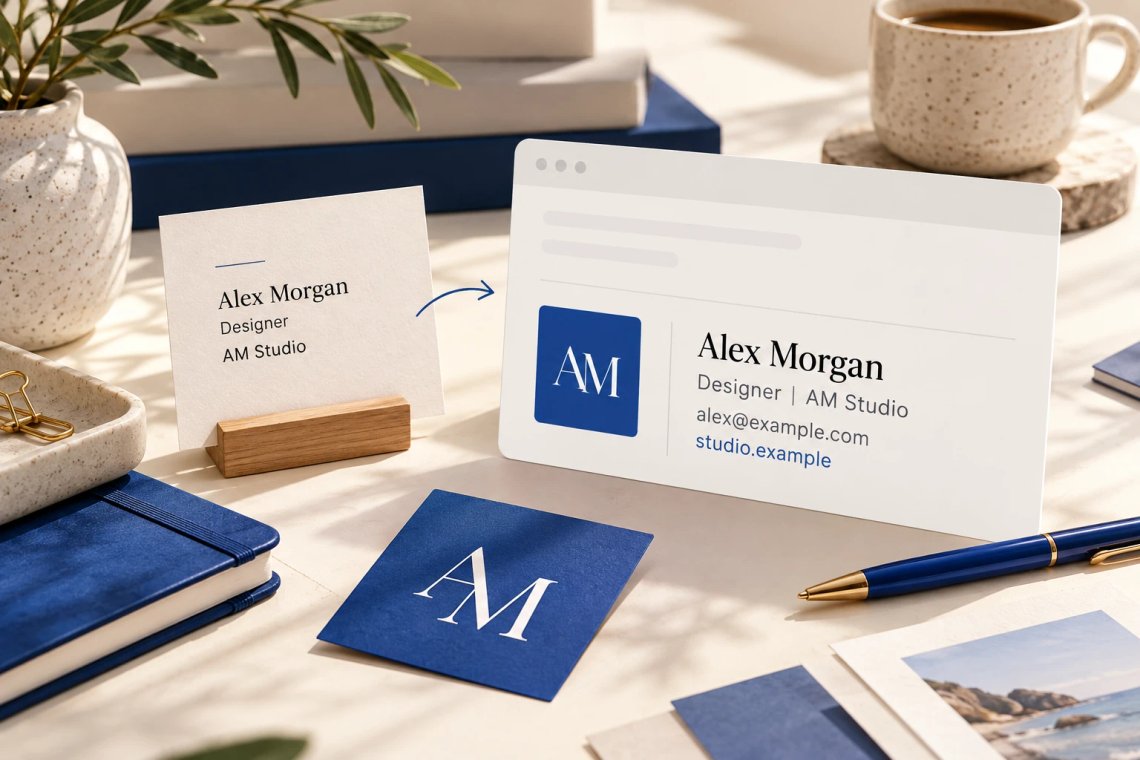
First impressions happen before you say a word — and your email signature is often the very first thing a recipient notices. Our AI Signature Generator creates polished, fully customised email signatures in seconds using just your name, role, and contact details. Whether you are a freelancer building your personal brand, a corporate professional representing your company, or a small business owner looking to stand out, the AI delivers a signature that looks expertly designed every single time without any technical skills or design experience needed.
Try Now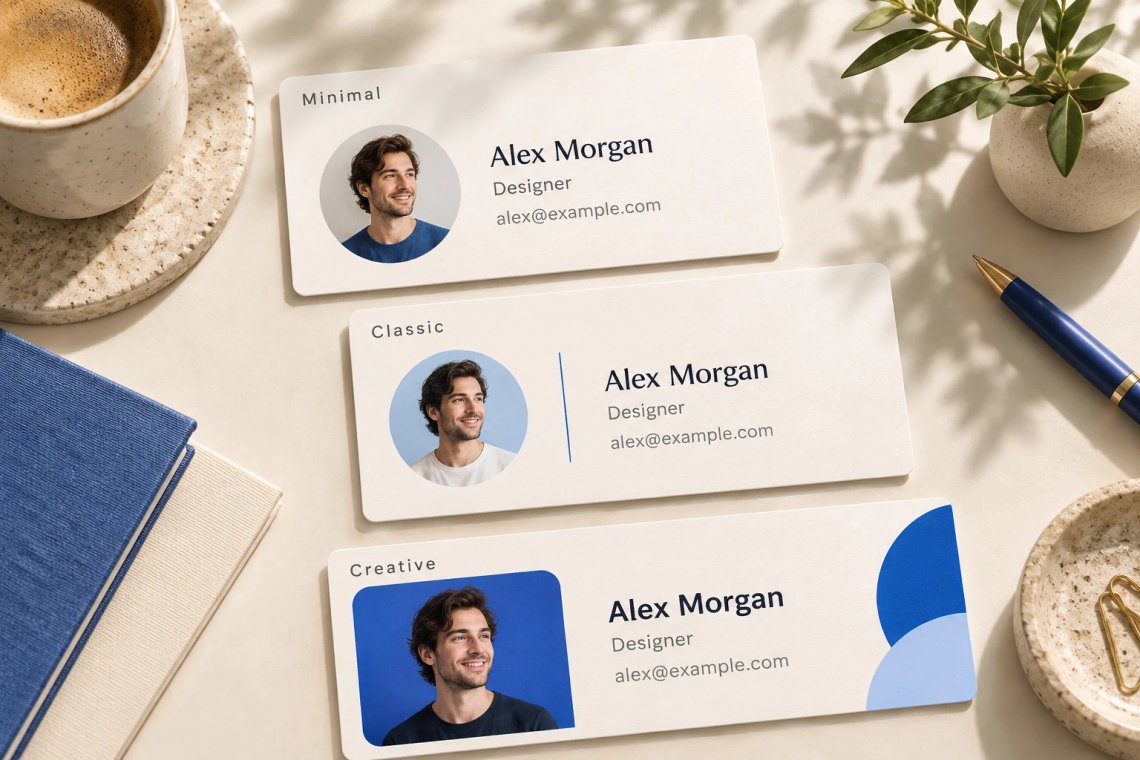
Your email signature should reflect your personality and professional identity. Our AI Signature Generator offers a wide range of signature styles — from clean and minimalist layouts for corporate professionals, to bold and colourful designs for creatives and marketers. Select the style that best matches your role, industry, and brand aesthetic, and the AI instantly generates a fully formatted signature ready to copy and paste into any email client. Never settle for a plain text signature again when a world-class design is just seconds away.
Try Now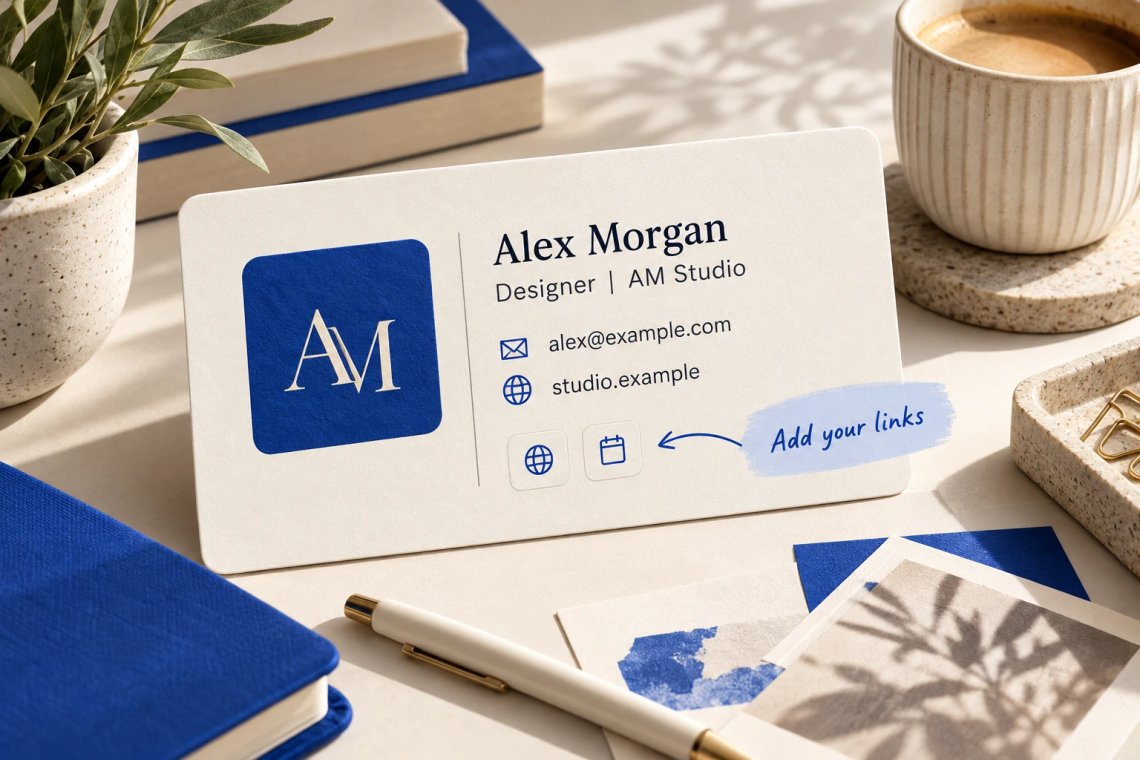
A great email signature is more than just your name and phone number. Our AI Signature Generator lets you seamlessly include your company logo, professional headshot, social media profile links, website URL, scheduling links, promotional banners, and even legal disclaimers — all formatted beautifully and automatically. This transforms every email you send into a powerful branding touchpoint that reinforces your professional image, drives traffic to your website and social profiles, and makes it effortless for recipients to connect with you across every channel.
Try Now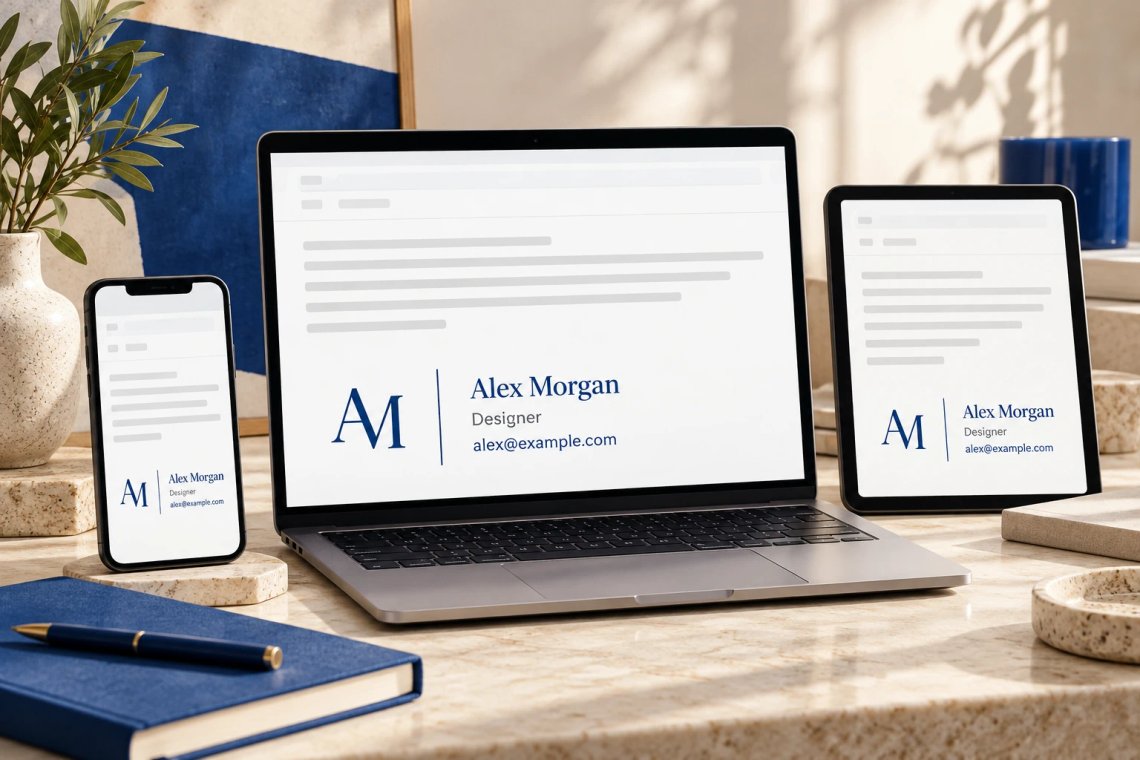
Building a beautiful signature means nothing if it breaks in different email clients. Our AI Signature Generator produces HTML signatures that render perfectly across all major email platforms — including Gmail, Outlook, Apple Mail, Yahoo Mail, and any corporate email system. No more dealing with broken formatting, misaligned images, or missing fonts across different devices and operating systems. Every signature generated is tested for compatibility and delivered in a format that looks consistently professional whether viewed on desktop, tablet, or mobile.
Try Now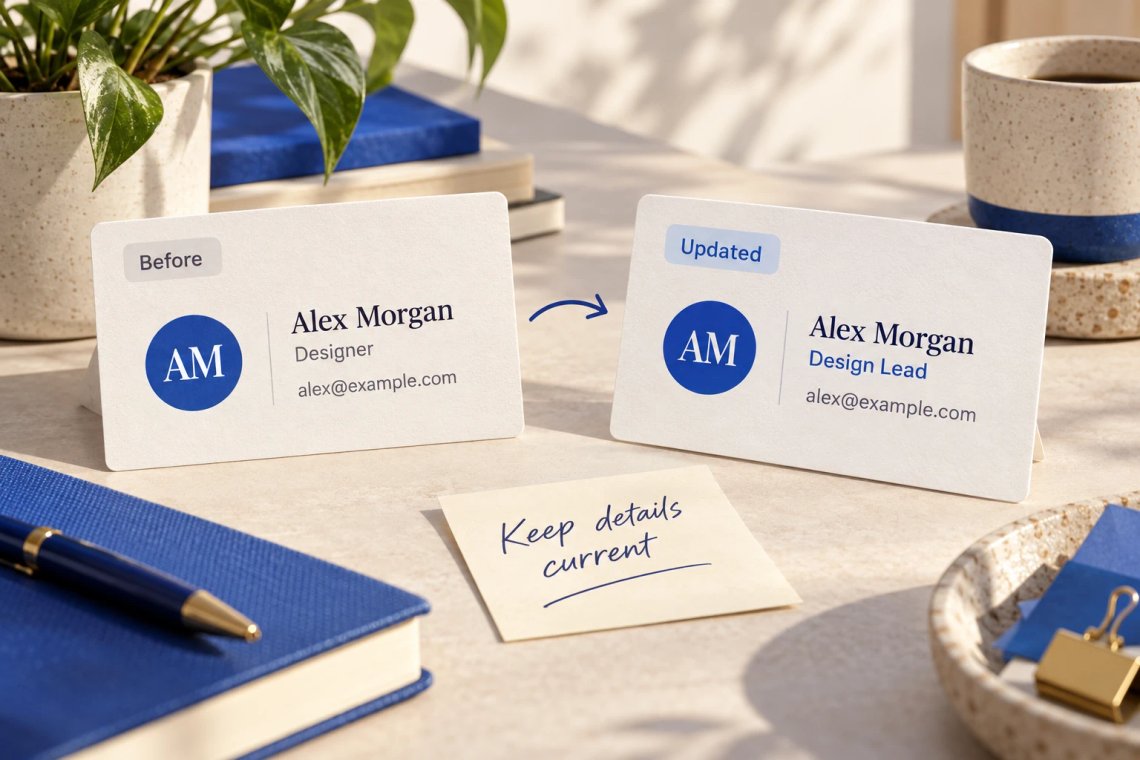
Your professional details change — and your email signature should keep up. Our AI Signature Generator makes it effortless to create new signatures or update existing ones whenever your job title changes, you add a new social channel, or you want to refresh your branding for a new campaign. Generate unlimited signature variations for different teams, departments, or communication purposes — all with consistent branding and zero design effort. Take full control of how you present yourself in every email you send, every single day.
From brainstorming ideas to polished content, Chat Smith helps you write faster and with greater confidence.
Switch between leading AI models for different writing styles, tasks, and goals.
Get more accurate, creative, and context-aware results for every writing task.
Draft content, rewrite text, summarize documents, and brainstorm ideas effortlessly.
Turn simple instructions into detailed prompts for higher-quality AI writing.
From rough ideas to polished content, Chat Smith makes it easy to draft, refine, and transform high-quality text in just a few clicks.
Enter a writing prompt or outline. Describe the topic, tone of voice, target audience, or specific formatting style you want to create.
Choose GPT-5, Claude 4.6 Sonnet, or Gemini 3 Pro and let Chat Smith transform your ideas into high-quality, AI-generated text.
Adjust prompts, change the tone, expand sections, or create variations until you get the perfect piece of writing ready to use anywhere.
Access a growing collection of AI tools to write, create, brainstorm, and work more efficiently.




Chat Smith's AI Signature Generator is an AI-powered tool that creates professional, polished email signatures in seconds. Whether you need a clean personal signature, a branded business signature, or a fully formatted professional footer with social links and contact details, the tool generates signatures tailored to your role, brand, and style — helping you make a strong first impression with every email you send.
Enter your name, job title, company, contact information, and any other details you want included — such as social media links, website, or a professional tagline. The AI then generates a well-structured, visually appealing email signature formatted for immediate use in any email client including Gmail, Outlook, Apple Mail, and others.
Chat Smith's AI Signature Generator supports a wide range of signature elements including your full name, job title, company name, phone number, email address, website URL, LinkedIn, Twitter/X, Instagram or other social media links, company logo placeholder, professional tagline or quote, physical address, and legal disclaimers. You can include as many or as few elements as your needs require.
Yes. Chat Smith's AI Signature Generator is ideal for creating consistent, on-brand email signatures for entire teams and organizations. Input your company's brand guidelines, standard information fields, and desired style, and the AI generates a uniform signature template that maintains a professional and cohesive brand identity across all team members' emails.
The AI Signature Generator supports a variety of styles including minimal and clean, professional corporate, modern with color accents, classic typographic, and social-media-forward layouts. Specifying your brand colors, preferred fonts, or overall visual tone in the prompt helps the AI generate a signature design that aligns with your brand identity.
Yes. Generated email signatures are formatted to be compatible with all major email clients including Gmail, Outlook, Apple Mail, Yahoo Mail, Thunderbird, and most business email systems. The tool outputs clean, structured HTML or plain text formats that can be copied directly into your email client's signature settings without complex technical setup.
Provide complete and accurate information upfront. Include your full name, title, company name, all contact details you want shown, preferred style (minimal, corporate, colorful), and any specific elements like a tagline or call-to-action. For branded signatures, mention your brand colors and tone. The more detail you give, the more polished and professional the generated signature will be.
Yes. You can ask the AI to include a promotional message, call-to-action, event announcement, or clickable banner placeholder in your signature. This is useful for promoting a product launch, driving traffic to a landing page, advertising a special offer, or inviting recipients to book a meeting — turning every email into a subtle marketing touchpoint.
Chat Smith offers free email signature generation with a daily usage limit. For unlimited signature creation, access to advanced design styles, bulk team signature generation, and priority processing, upgrading to a paid plan gives you full access to the AI Signature Generator without any daily restrictions.
Yes, and it is encouraged. Think of the AI output as a strong professional starting point. You can edit the generated signature — adjust the layout, swap elements, change the order of contact details, add or remove links, or update the tagline — to perfectly match your personal preferences or company style guidelines before deploying it.
Yes. You can generate unique email signatures for different roles within your organization — sales team signatures with meeting booking CTAs, support team signatures with helpdesk links, executive signatures with minimal and authoritative designs, and marketing team signatures with campaign links. Specifying the role and purpose in your prompt ensures each signature is tailored to that team's communication needs.
Yes. Chat Smith's AI Signature Generator can create email signatures in multiple major languages. Specify the target language in your prompt and the AI will generate the signature text, taglines, and labels in that language. This is ideal for multinational companies that need region-specific email signatures for teams operating in different language markets.
Everything you need to push projects forward is right at your fingertips.