
AI Guide
GPT-6 Sol Review: Features, Benchmarks & Pricing
GPT Image 2.5 Flare, OpenAI's fast image model, turns text prompts into sharp, ready-to-use visuals inside Chat Smith.
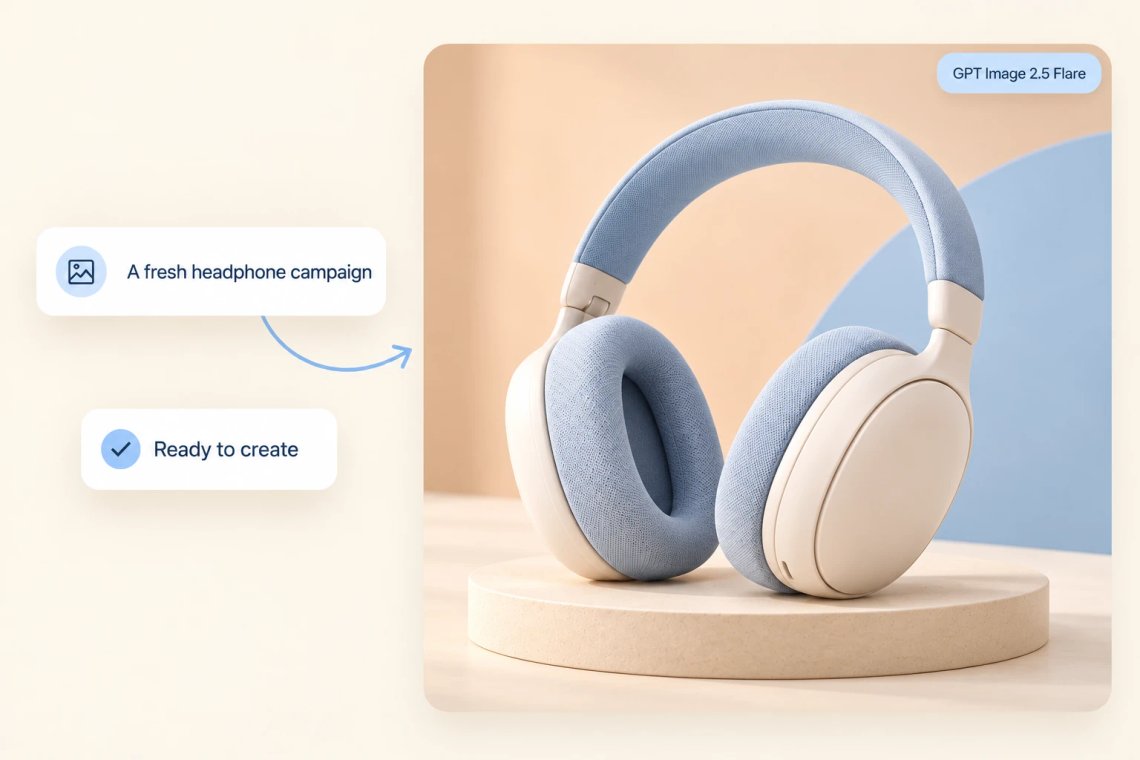
Chat Smith gives you instant access to GPT Image 2.5 Flare without a separate OpenAI account, subscription, or another app to download. Open Chat Smith, select GPT Image 2.5 Flare from the model list, type what you want to see, and get a finished image right away, whether it's a product mockup, a birthday card, or concept art. There's no waitlist and no confusing setup. Because it lives alongside every other model inside Chat Smith, you can try it the moment you're curious.
Try Now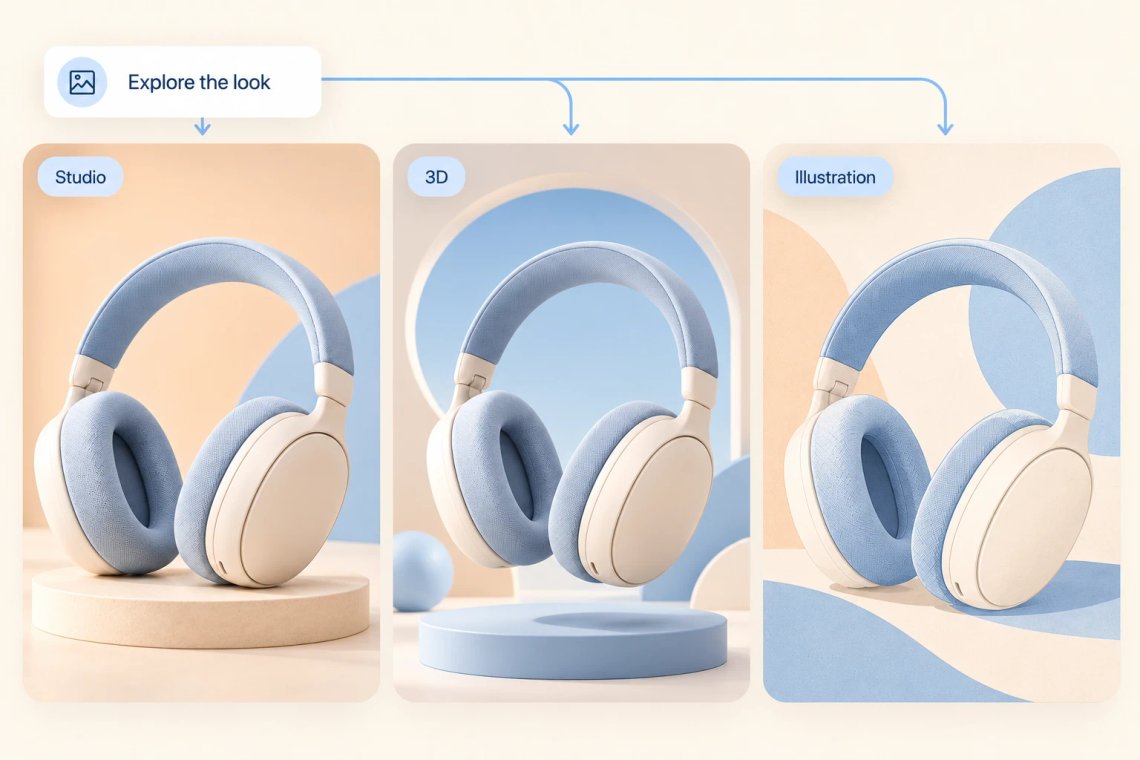
GPT Image 2.5 Flare is built for speed, generating polished images in just a few seconds instead of the long waits common with other AI art tools. This makes it easy to try several prompt variations in a row, compare styles quickly, or churn out a full batch of visuals for a project without losing momentum. Whether you need one quick image for a chat or dozens for a presentation, the fast turnaround means you spend your time choosing the best result, not waiting around for it to appear.
Try Now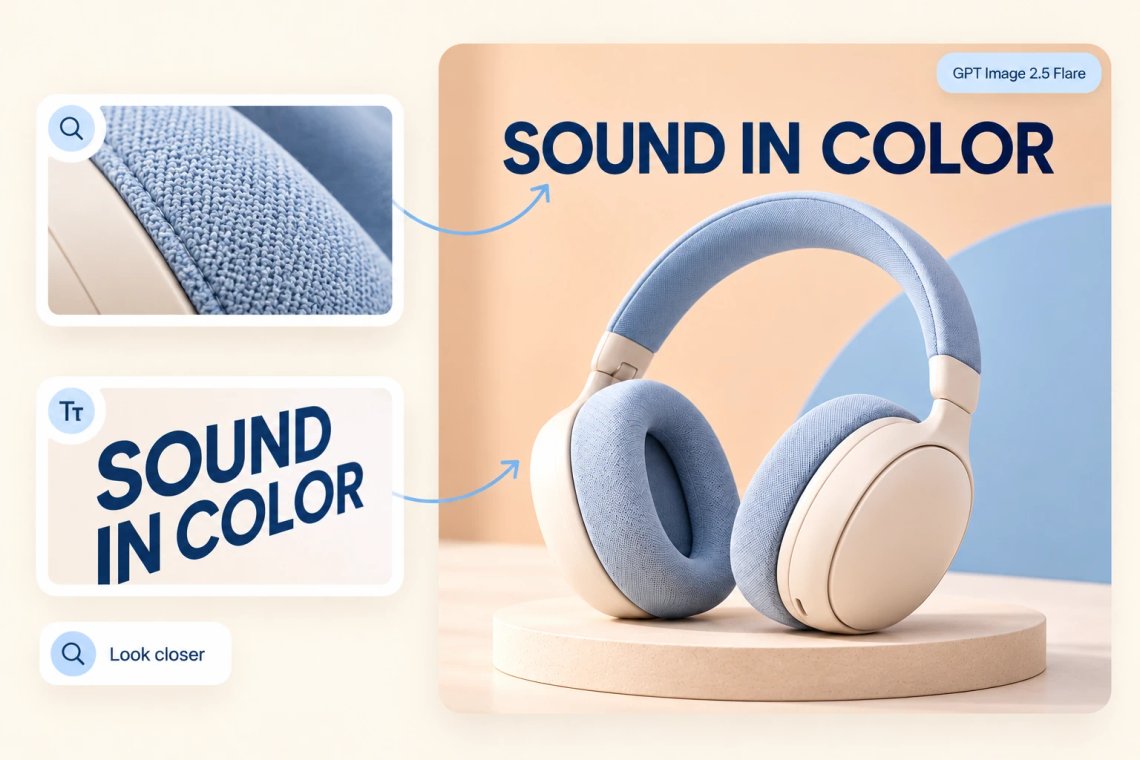
Beyond raw speed, GPT Image 2.5 Flare pays close attention to detail, rendering accurate text inside images, consistent lighting, and realistic textures across a wide range of styles from photorealistic to illustrated. Ask for a logo with specific wording, a product shot with clean reflections, or a fantasy scene with intricate detail, and it holds up under a closer look. This balance of speed and quality means you rarely need to regenerate an image just to fix an obvious flaw.
Try Now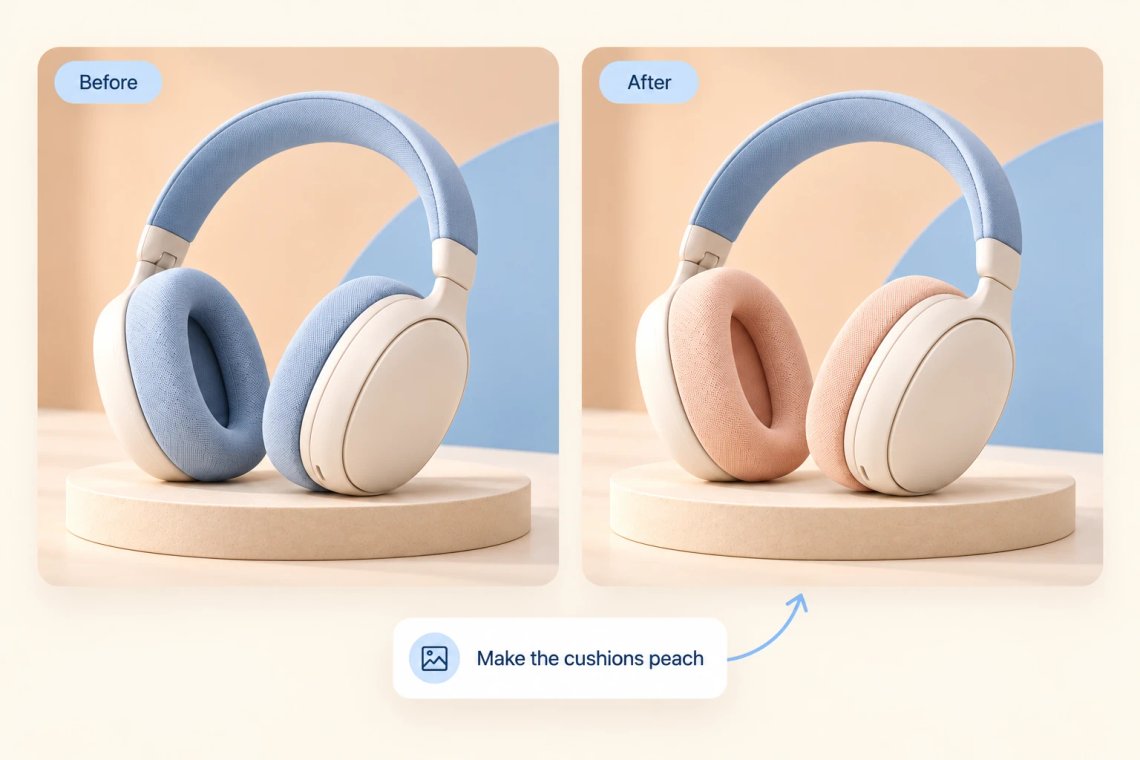
Getting the first image close isn't the end of the process, and GPT Image 2.5 Flare makes refining it simple. Just describe the change you want directly in the chat, brighter lighting, a different background, a new pose, or a color swap, and it updates the image while keeping everything else intact. There's no separate editing app to learn or extra menus to dig through. This back-and-forth conversation style turns a rough first draft into exactly the image you had in mind, one message at a time.
Try Now
GPT Image 2.5 Flare is just one of several AI models available inside Chat Smith, and switching to it takes a single tap, no new app, login, or subscription required. Start a text conversation with another model, then switch to GPT Image 2.5 Flare the moment you need a visual to go along with it, all without losing your chat history. This makes it easy to keep writing, planning, and creating images in one place, using whichever model fits the task in front of you right now.
Access leading AI models in one place, compare responses, and choose the best answer for every task.
Access GPT, Claude, Gemini, DeepSeek, Grok, and more in one place.
Get access to premium AI models without paying for multiple subscriptions.
Compare responses across different models to find the best answer for every task.
Chat, write, research, and create with your favorite AI models in a single app.
Chat with an advanced AI assistant to get answers, solve problems, generate content, and explore ideas in seconds.
Enter a question, task, or topic you'd like help with, and provide any details or context that may be relevant.
The AI analyzes your request and generates accurate, relevant, and context-aware responses in real time.
Continue the conversation, refine your instructions, and explore new ideas through natural back-and-forth interactions.
Access a growing collection of AI tools to write, create, brainstorm, and work more efficiently.









GPT Image 2.5 Flare is OpenAI's fast image-generation model, available inside Chat Smith. Describe what you want in plain text and it turns your prompt into a finished image in seconds, covering everything from product mockups to concept art and social media graphics.
Yes. Just describe the change directly in the same chat, like brighter lighting, a new background, or a different pose, and GPT Image 2.5 Flare updates the image while keeping everything else the same, so you can refine a result over several messages.
Generated images can generally support business use like marketing materials, social posts, and product mockups, though you should always check the current OpenAI usage policy for commercial and trademark rules before publishing anything widely.
GPT Image 2.5 Flare renders consistent lighting, realistic textures, and accurate in-image text across styles from photorealistic to illustrated. Results hold up well under a close look, though outcomes still depend on how clear your prompt is.
Yes, rendering readable text is one of its strengths. Ask for a logo, poster, or sign with specific wording, and the model places that text accurately and legibly, which is a common weak point for many other AI image tools.
Just ask for changes right in the chat, a different background, a color swap, or a whole new composition, and GPT Image 2.5 Flare regenerates accordingly. There's no limit on how many times you can adjust a prompt within the conversation.
GPT Image 2.5 Flare is available inside Chat Smith without a separate OpenAI account or extra subscription to start. Usage may be subject to Chat Smith's general fair-use limits, so check your plan for details on daily generation allowances.
Its main advantage is speed, producing polished images in seconds rather than the longer waits common elsewhere, without sacrificing detail or text accuracy. It also lives inside Chat Smith, so you can switch to it mid-conversation instantly.
Everything you need to push projects forward is right at your fingertips.