
01
Describe it, get a banner
Say what the banner is for and get a headline, imagery and layout in one design.
Image Tools
Describe your sale, launch or event, pick a format and style, and get a banner for your website, social posts or emails.

Reference image · optional
Use PNG or JPG images up to 20 MB.
Format
Style
Type
Why Chat Smith
01
Say what the banner is for and get a headline, imagery and layout in one design.
02
Social posts, stories, website headers and display spots.
03
Modern, minimalist, bold, luxury, playful, vintage or corporate.
04
Add your logo, product or a banner you like to guide the design.
How it works
Share the message and where it will go, or start from a ready-made template.
Choose the placement, a style and the banner type, and add any reference images.
Press Generate, then ask to change the text, colors, photos or layout.
Save your banner for your website, social posts or emails.
Instant bannersPopular
Describe your sale, launch or event and get a banner with a headline, imagery and layout. Running paid campaigns? Create ad banners for every placement.
Placements
Pick a format for social posts, stories, website headers or display spots, and ask for another shape in chat. Posting on social? Design a social post.
Brand
Add your logo or product photos as references and describe your brand colors. No logo yet? Create one in minutes.
Remix
Start from a ready-made banner, press Remix and change the text, photos and colors by chatting with the AI assistant. Need a print version? Make a flyer.
Use cases
Banners for openings, markets, workshops and community events.
Example prompt
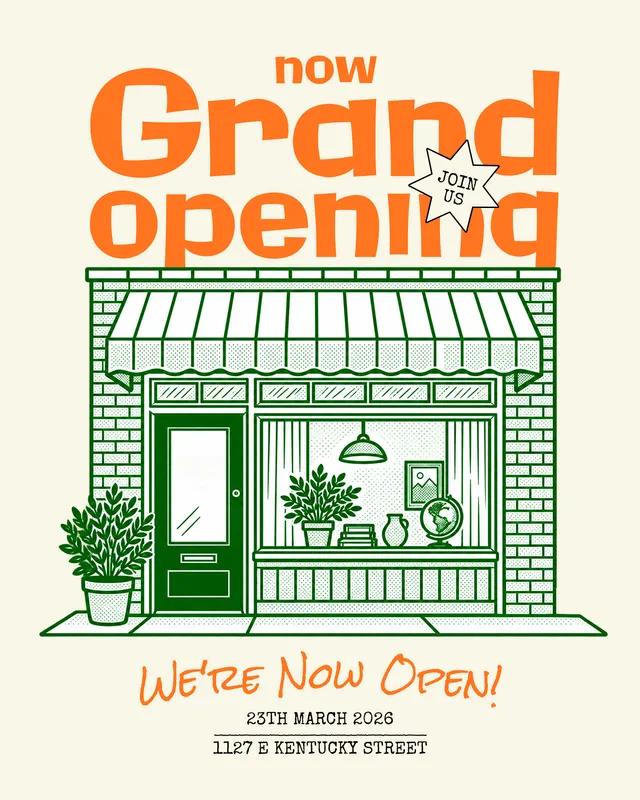
“A square banner for our grand opening on March 23 at 1127 E Kentucky Street, “We’re now open!”, vintage illustrated style, orange and green”
Seasonal sales, clearances and limited-time offers.
Example prompt
“A wide website banner for our summer sale, up to 40% off swimwear, bold modern style, turquoise and white, with a “Shop now” button”
Hero images and headers for homepages, shops and landing pages.
Example prompt
“A website hero banner for Bloom Café, “Coffee worth waking up for”, warm minimalist style, cream and brown with a latte photo”
Covers, story banners and announcement posts for your channels.
Example prompt
“A story banner announcing our new autumn collection, “Out now”, luxury style, deep burgundy and gold”
Header images for newsletters, product updates and announcements.
Example prompt
“A newsletter header for our monthly update, “What’s new in May”, clean corporate style, navy and white”
Prompt Library
Looking for more ideas? Borrow a prompt.
Hand-picked marketing prompts for banners, campaigns, emails and more in the Chat Smith Prompt Library. Use one as it is, or tweak a few words to make it yours.
Keep exploring
Pricing
Pick a plan that works for you.
$0
Free includes a limited number of generations. Upgrade to PRO for full access.
Start for freeFAQ
It creates banners from a short description. Say what the banner is for, pick a format, style and type — or remix a template — then press Generate and ask for changes.
Social media banners, story banners, website headers, display banners, email headers, and banners for sales and events.
Yes. Add your logo as a reference image and describe your brand colors in your prompt.
Include where the banner will go, the main message, any dates or offers, your colors and a reference image you like.
Yes. In many cases, AI-generated images created with Chat Smith can be used for marketing, branding, content creation, social media, presentations, merchandise, and other commercial projects, depending on the usage rights of the selected AI model. You are responsible for ensuring your use complies with applicable terms, policies, and laws, and does not infringe on third-party rights such as copyrights, trademarks, brand logos, public figures, or protected characters. For high-visibility commercial use, we recommend reviewing the output carefully or seeking legal advice if needed.



