
01
Describe it, get an ad
Say what you’re promoting and get a headline, imagery and call to action in one design.
Image Tools
Say what you’re promoting, pick a format and style, and get an ad banner for social feeds, stories, websites and mobile.

Reference image · optional
Use PNG or JPG images up to 20 MB.
Format
Style
Type
Why Chat Smith
01
Say what you’re promoting and get a headline, imagery and call to action in one design.
02
Pick a format for social feeds, stories, websites or mobile.
03
Modern, minimalist, bold, luxury, playful, vintage or corporate.
04
Add up to 3 images to put your product front and center.
How it works
Describe the product, offer and message, or start from a ready-made template.
Choose where the ad will run, a style and the ad type, and add product photos.
Press Generate, then ask to change the headline, photo, colors or call to action.
Ask for the same ad in other formats, save them and launch your campaign.
Instant adsPopular
Describe your product or offer and get an ad with a headline, imagery and a clear call to action. Need a catchy line first? Write a slogan.
Formats
Pick a format for social feeds, stories, website banners or mobile, then ask for the other sizes you need. Posting organically too? Create social posts in the same style.
Product
Add product shots as reference images and the layout builds around them. Need a clean cutout first? Remove the background.
Remix
Start from a ready-made ad, press Remix and swap in your product, offer and colors in the AI chat. Running a holiday sale? Make Black Friday banners.
Use cases
Ads for new dishes, drinks, combos and limited-time menu items.
Example prompt
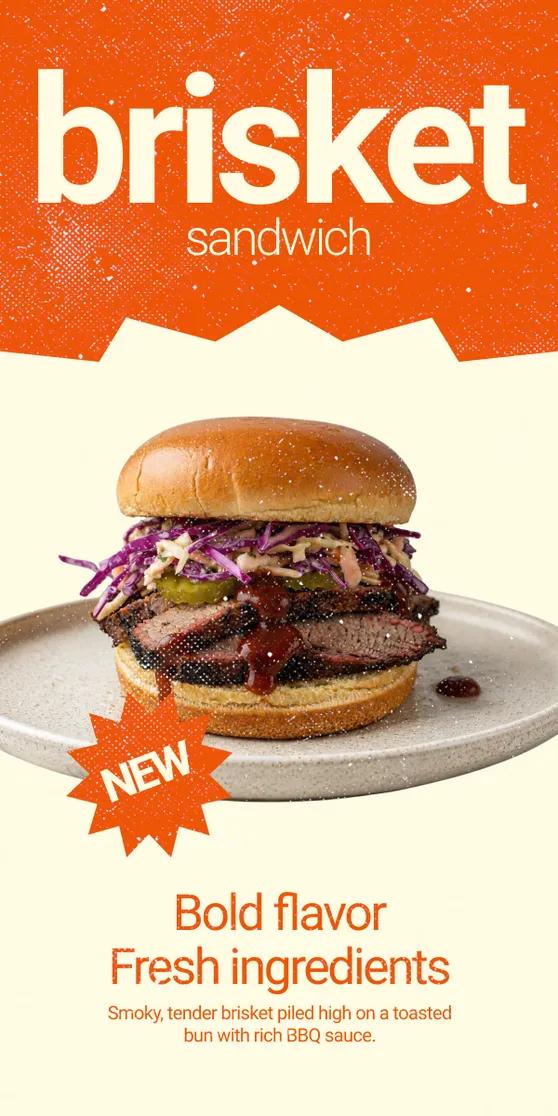
“A story ad for our new brisket sandwich, “Bold flavor, fresh ingredients”, bold style, orange and cream, with a NEW badge”
Discounts, bundles, coupon codes and seasonal sales.
Example prompt
“A square ad for buy 1 get 1 iced lattes this week at Sunny Side Café, playful style, warm yellow and brown, with a “Order now” button”
Teasers, reveals and “now available” ads for new products.
Example prompt
“A portrait social ad for our new running sneakers, “Available now”, minimalist style, white and electric blue, product on a clean background”
Hero banners, leaderboards and promo strips for your website.
Example prompt
“A wide website banner for our summer sale, up to 40% off swimwear, modern style, turquoise and white, with a “Shop the sale” button”
Ads for events, webinars, classes and sign-ups.
Example prompt
“A square ad for a free online photography workshop on Saturday, corporate style, navy and white, with a “Save your spot” button”
Prompt Library
Looking for more ideas? Borrow a prompt.
Hand-picked marketing prompts for ads, campaigns, emails and more in the Chat Smith Prompt Library. Use one as it is, or tweak a few words to make it yours.
Keep exploring
Pricing
Pick a plan that works for you.
$0
Free includes a limited number of generations. Upgrade to PRO for full access.
Start for freeFAQ
It creates ad banners from a short description. Say what you’re promoting, pick a format, style and type — or remix a template — then press Generate and ask for changes.
Social feed ads, stories, website banners and mobile banners for sales, product launches, events, food and drinks, hiring and more.
Yes. Add up to 3 images as references, like your product, logo or an ad you like, and describe what you want.
Include the product or offer, the main message, a call to action, your colors and the mood you want.
Yes. In many cases, AI-generated images created with Chat Smith can be used for marketing, branding, content creation, social media, presentations, merchandise, and other commercial projects, depending on the usage rights of the selected AI model. You are responsible for ensuring your use complies with applicable terms, policies, and laws, and does not infringe on third-party rights such as copyrights, trademarks, brand logos, public figures, or protected characters. For high-visibility commercial use, we recommend reviewing the output carefully or seeking legal advice if needed.



