

AI Prompt
45 AI Logo Prompts for Unique Brand Designs
Instantly erase any background from photos with AI precision. No design skills needed, 100% automatic.
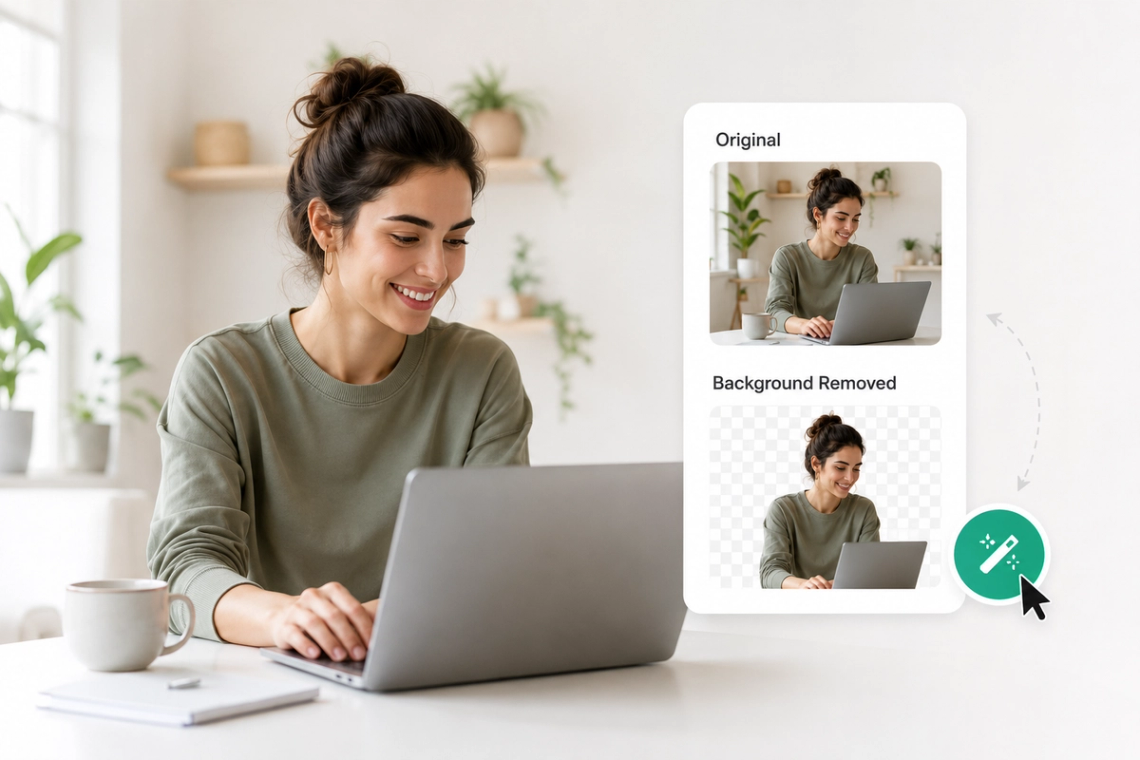
Say goodbye to tedious manual selection. Our AI Background Remover detects subjects automatically and removes backgrounds in seconds — whether it's a person, product, pet, or object. Get pixel-perfect cutouts every time without Photoshop or any editing experience. Perfect for e-commerce sellers, content creators, and marketers who need clean images fast. Supports JPG, PNG, and WEBP formats. Process hundreds of images in minutes, not hours.
Try Now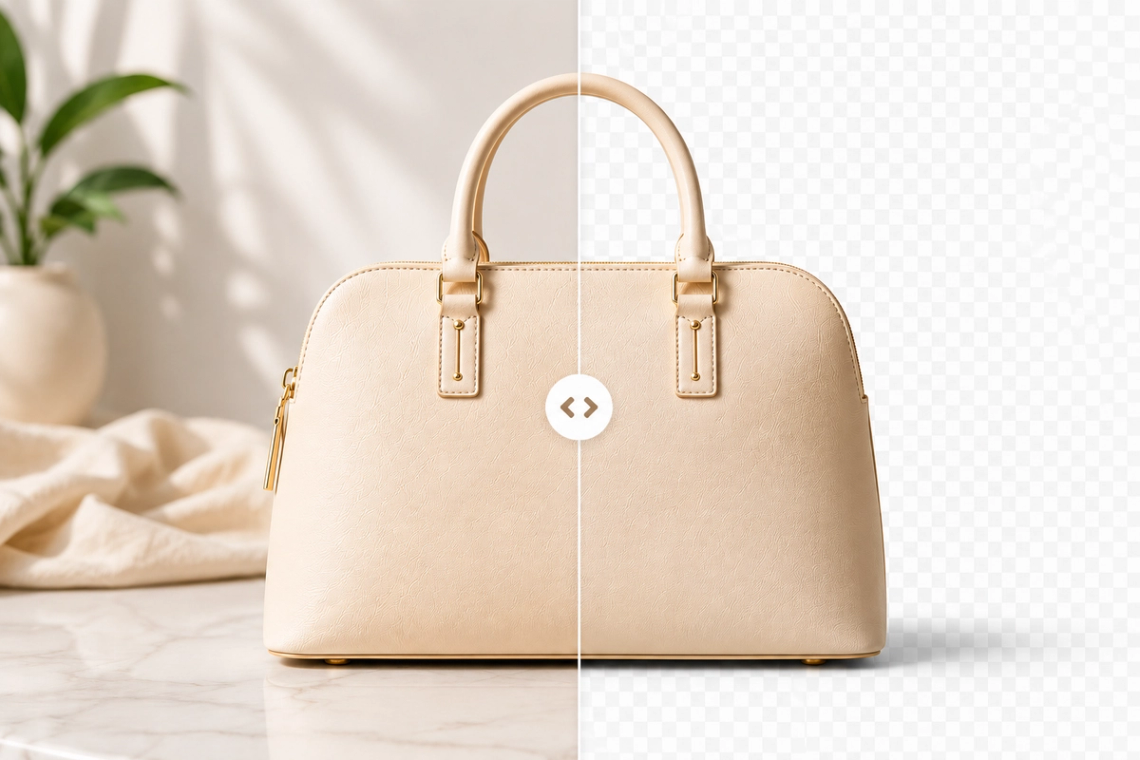
Precision matters when it comes to background removal. Our AI engine analyzes every pixel along the edges — handling hair, fur, transparent objects, and complex textures with stunning accuracy. No jagged edges, no missed spots. What used to take a professional designer 20 minutes now takes under 3 seconds. Upload your image and see the difference immediately. Your cutouts will look natural and professional every single time.
Try Now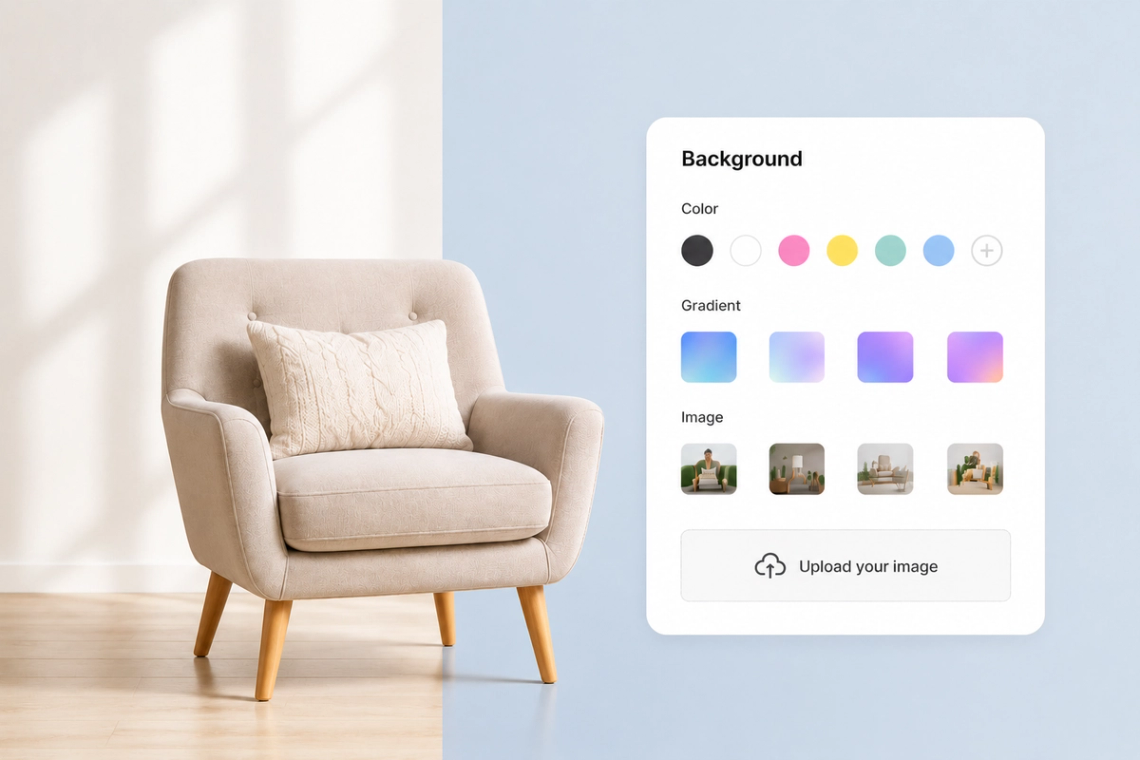
Removing the background is just the start. With our AI Background Remover, you can instantly replace it with any color, gradient, or custom image. Create product listings with white backgrounds, add branded colors, or place your subject into a completely new scene — all in one tool. Perfect for social media posts, marketing banners, and online store visuals. No extra apps needed. Everything happens in your browser, instantly.
Try Now
Processing images one by one is a thing of the past. Our AI Background Remover supports batch processing, letting you upload and process dozens of images simultaneously. Ideal for e-commerce businesses with large product catalogs, photographers editing client shoots, and marketing teams preparing campaign visuals. Save hours every week with automated background removal at scale. Integrate via API for seamless workflow automation and unlimited volume.
Try Now
Your background removal tool should work wherever you do. Our AI Background Remover runs entirely in the browser — no software downloads, no plugins, no app installs required. Works perfectly on desktop, tablet, and mobile. Whether you're editing on a MacBook in a coffee shop or on your phone between meetings, get professional results in seconds. Your images are processed securely and never stored without your permission.
From cutting-edge AI models to flexible image workflows, Chat Smith gives you more creative control.
Switch between leading AI image models for different creative needs.
Explore trending aesthetics and newly released visual styles.
Upload images in different sizes, formats, and orientations.
Generate richer prompts automatically for higher-quality results.
From text prompts to finished artwork, Chat Smith makes it easy to create, edit, and transform high-quality visuals in just a few clicks.
Enter a text prompt or upload reference images. Describe the subject, style, mood, or visual concept you want to create.
Choose GPT Image 2.0 or Nano Banana Pro and let Chat Smith transform your prompt into high-quality AI-generated images.
Adjust prompts, upload additional references, or create variations until you get the perfect image ready to use anywhere.
Access a growing collection of AI tools to write, create, brainstorm, and work more efficiently.






Chat Smith's AI Background Remover is an AI-powered tool that automatically detects and removes the background from any photo in seconds. It works on portraits, product shots, pet photos, and more — delivering clean, precise cutouts without manual editing or design skills.
Upload your image and the AI instantly analyzes it to separate the subject from the background using advanced segmentation technology. The result is a high-quality transparent PNG you can use directly or place on any new background of your choice.
Yes! Chat Smith's AI Background Remover is optimized for e-commerce and product photography. It accurately detects edges around objects — even complex shapes — giving you clean product cutouts ready for white backgrounds, marketplaces like Amazon, or custom brand visuals.
Absolutely. After removing the background, you can upload any image as a new backdrop or choose from preset background options. This makes it easy to create consistent product listings, professional profile photos, or branded social media content in minutes.
The AI delivers high-precision results on most photos, especially portraits and product images with clear subject-background contrast. For complex scenes like hair or transparent objects, the tool uses fine-edge detection to retain fine details while cleanly separating the background.
Chat Smith's AI Background Remover supports JPG, PNG, and WEBP files. For best results, upload images with a resolution of at least 800×800px. The tool preserves your original image quality and exports a transparent PNG that's ready for professional use.
Use photos with good lighting and clear contrast between the subject and background. Avoid busy or similarly-colored backgrounds for the cleanest cutouts. A well-lit subject on a plain background — even a simple wall — gives the AI the best signal to produce sharp, accurate edges.
Chat Smith offers free background removal with a daily usage limit. For unlimited removals, batch processing, and higher-resolution exports, upgrading to a paid plan unlocks the full power of the tool without restrictions.
Yes, images processed with Chat Smith's AI Background Remover can be used for commercial purposes, including product listings, advertising, and client work. Always ensure you have the rights to the original photo before processing and using it commercially.
Yes. Chat Smith's background removal engine uses fine-edge detection designed to handle challenging details like hair strands, fur, and wispy edges. While results may vary with extremely complex images, the AI consistently delivers clean, natural-looking cutouts even on portraits with flowing hair.
Batch background removal is available on paid plans. This lets you upload and process multiple photos simultaneously — ideal for e-commerce sellers, photographers, or anyone managing large volumes of product or portfolio images quickly and efficiently.
Chat Smith takes privacy seriously. Uploaded images are processed securely and not shared with third parties. Images are automatically deleted from servers after processing, ensuring your personal and professional photos remain private and protected at all times.
Everything you need to push projects forward is right at your fingertips.