Why switch between AI apps for writing, research, and design? Chat Smith brings GPT, Gemini, Claude, Grok, and DeepSeek together with everyday productivity tools—all in one place.
From standout features and real-world uses to pricing and comparisons with ChatGPT, here's what you should know before trying it.
What Is Chat Smith AI?
Chat Smith is an AI-powered productivity platform available on the web and mobile, bringing multiple AI models and smart tools together in one place.
More than just an AI chatbot, it's designed to support everyday work and personal life, helping you turn ideas into action, simplify daily tasks, and get more done with less effort.
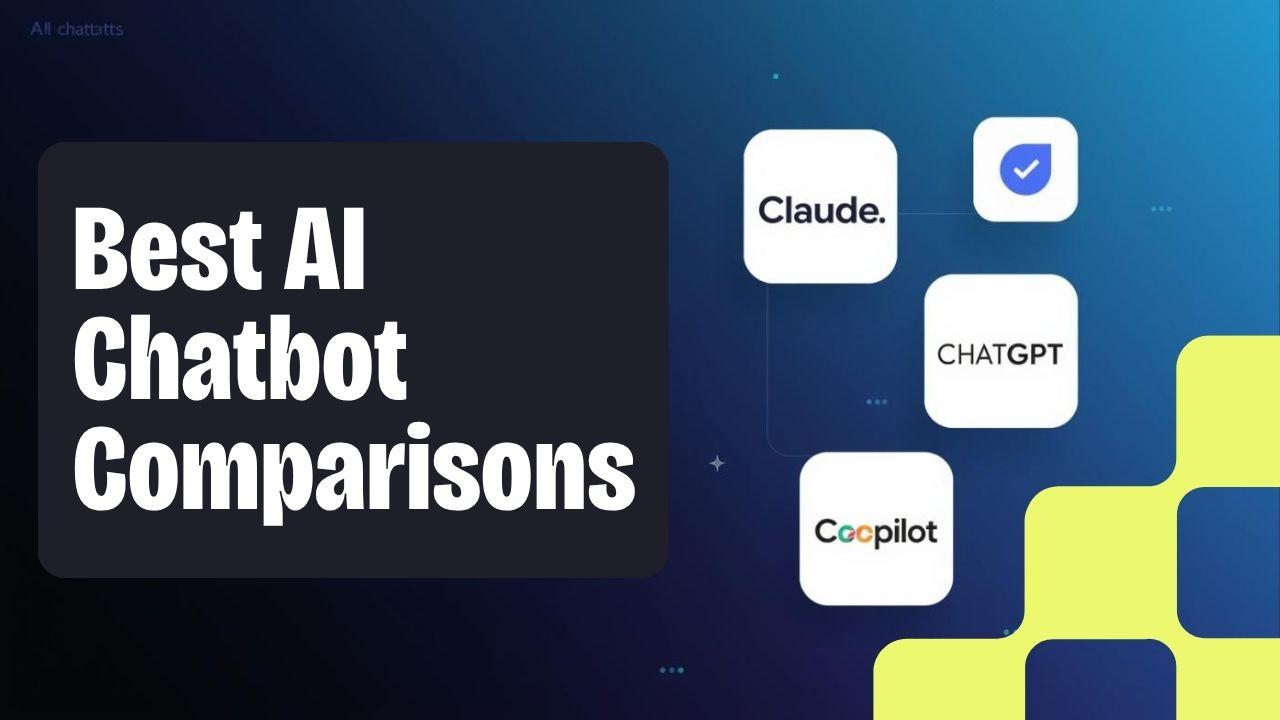
As an all-in-one AI assistant, Chat Smith provides access to models from OpenAI, Google, Anthropic, xAI, and DeepSeek. You can choose from different AI models depending on what you want to accomplish.
The platform also includes tools for visual design, writing, research, document analysis, and daily planning.
For example, you can use Chat Smith to:
Brainstorm business ideas or solve everyday problems.
Create logos, posters, flyers, and marketing visuals.
Write emails, essays, presentations, and reports.
Research topics and summarize documents.
Organize appointments and reminders on mobile.
Chat Smith is an independent AI application, not the official ChatGPT product developed by OpenAI.
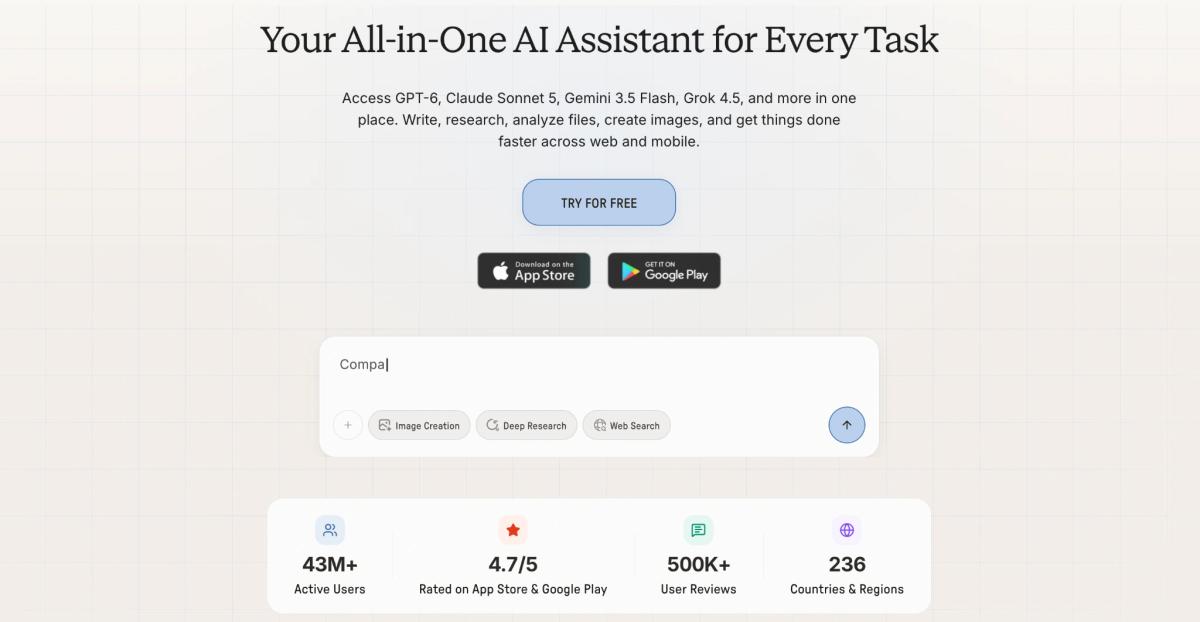
Chat Smith brings several AI model families and productivity tools together on web and mobile.
How to Get Started With Chat Smith
Getting started is simple. You can use Chat Smith in your browser or install the mobile app.
Beyond AI chat, Chat Smith includes tools designed for creative work, writing, content improvement, and everyday productivity.
What makes these features useful is how they help users move from asking questions to completing practical tasks.
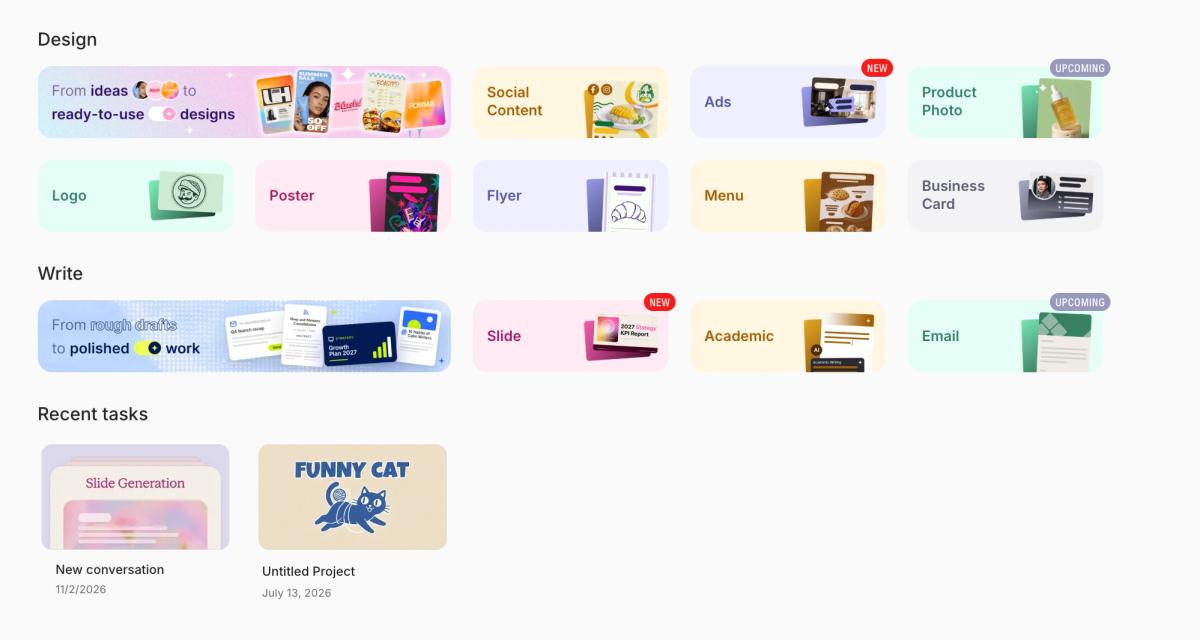
Chat Smith's workspace organizes creative design and writing tools around practical tasks.
1. Design Studio: Create Posters, Flyers, Menus, Social Media Posts & Ad Creatives
Have a creative idea but aren't sure how to turn it into a design?
Chat Smith Design Studio helps users create visual content from simple text descriptions. Instead of starting with a blank canvas, you can explain what you need and generate an initial design in seconds.
Design Studio supports different formats, including logos, posters, flyers, menus, business cards, social media graphics, and advertising creatives.
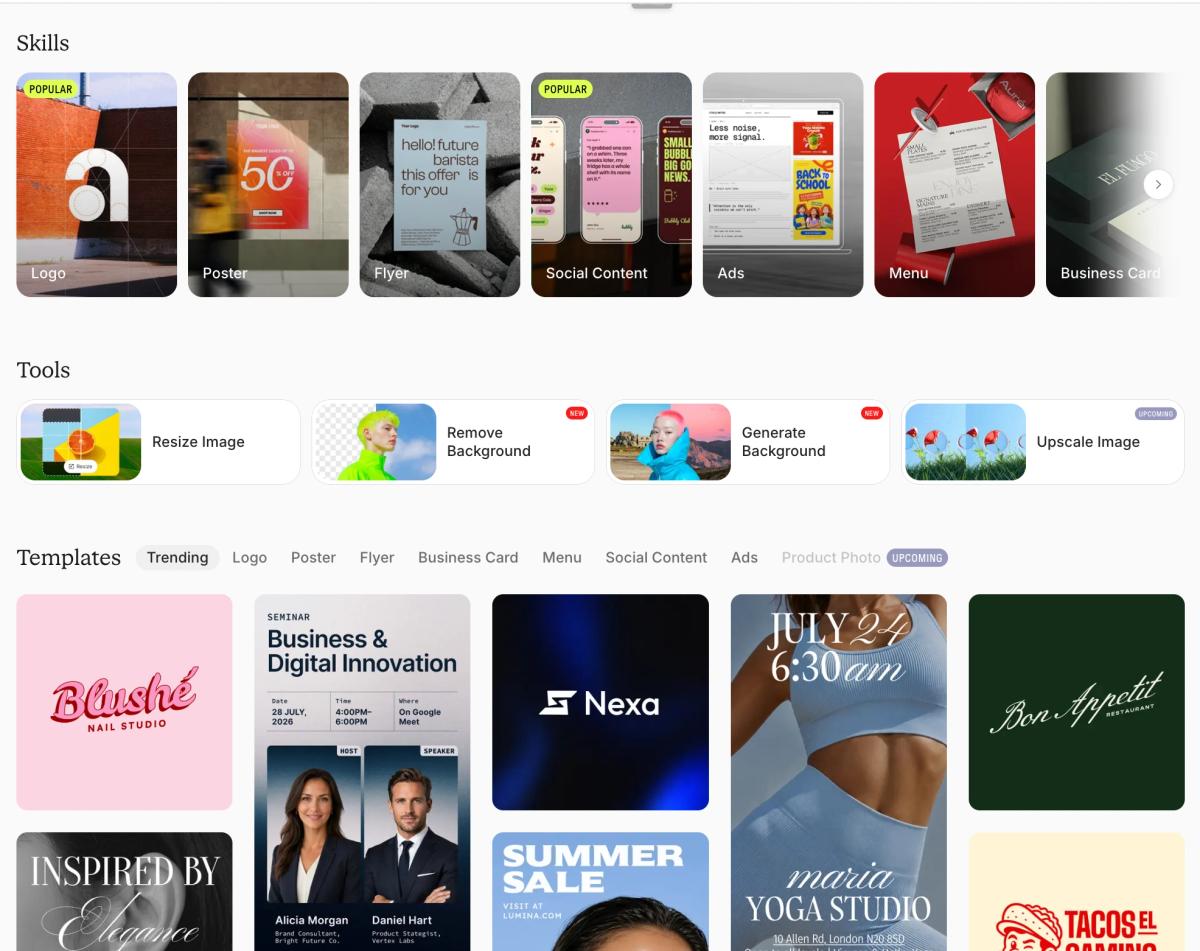
Design Studio offers design categories, useful image tools, and customizable templates.
How does Design Studio work?
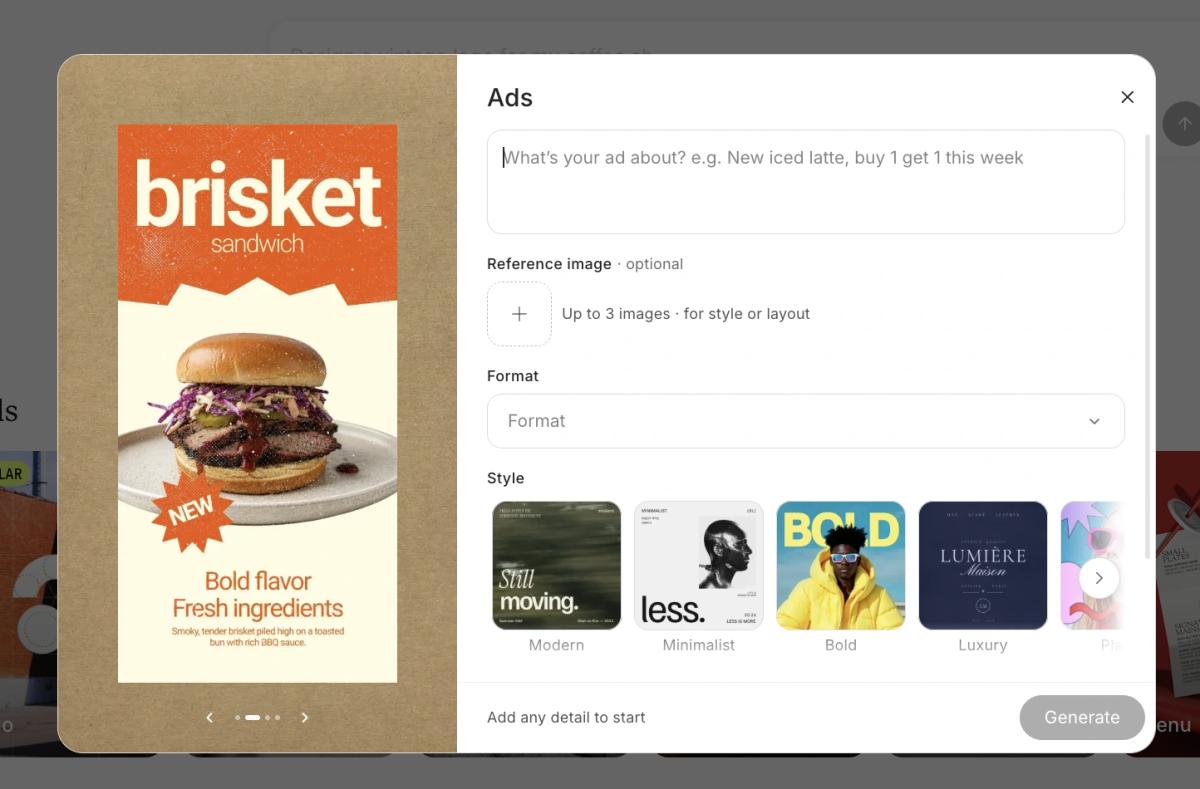
In Design Studio, describe the ad you want, add optional reference images, then choose a format and visual style before generating.
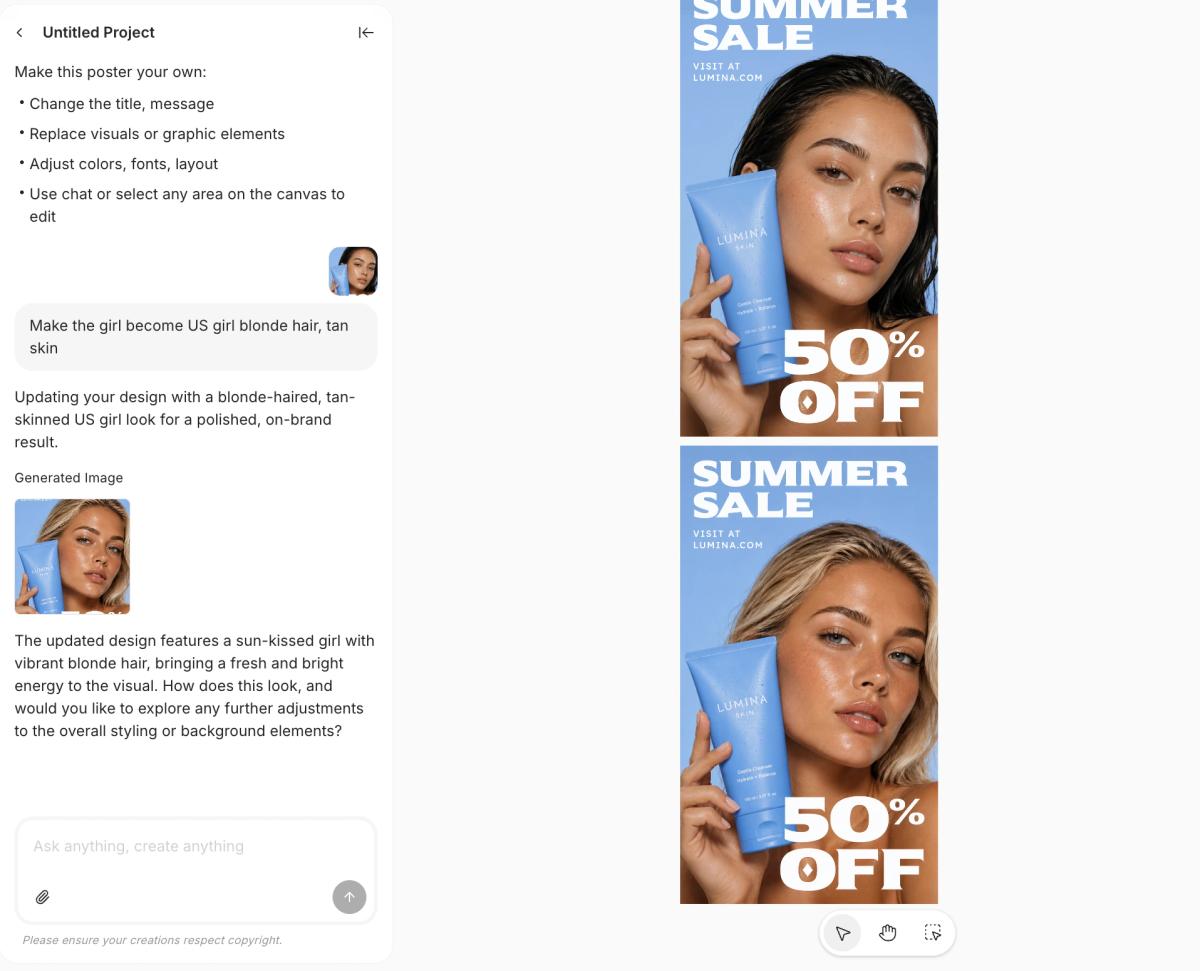
Chat Smith Design Studio lets you refine visuals through chat and canvas editing, as shown in this before-and-after skincare ad example.
Imagine you're opening a burger restaurant called Urban Bites.
You could enter:
Create a modern logo, promotional poster, and menu for my burger restaurant, Urban Bites. Use bold typography, orange and black colors, and appetizing food imagery.
Chat Smith generates an initial design based on your description. You can then refine the result with follow-up instructions.
For example:
Make the logo more minimal, increase the restaurant name size, and give the poster a more premium look.
For supported designs, you can also make adjustments using the editing canvas.
What can you create with Design Studio?
For branding projects, the AI logo generator helps explore visual identities for businesses, products, and personal brands.
If you're planning a marketing campaign, you can use the AI flyer generator to create promotional layouts or explore different styles with the AI poster generator.
Restaurant owners can use the AI menu generator to organize dishes, prices, and visual elements into menu designs.
For digital marketing, Design Studio also supports social media graphics and ad creatives. You can combine these visuals with the platform's AI ad copy generator to develop headlines, promotional messages, and campaign ideas.
What makes it different from a general AI chatbot?
A general AI chatbot can help brainstorm a logo or describe a visual concept. Design Studio takes the process further by generating designs that users can review and refine.
It also supports several related creative tasks in one environment. For example, a small business owner can develop a brand identity, create promotional materials, and explore social media visuals without starting every task from scratch.
This makes Design Studio particularly useful for entrepreneurs, marketers, content creators, and people without extensive graphic design experience.
As with any AI design tool, review spelling, layout, brand consistency, and image quality before using the final design.
2. AI Writing Agent: Essays, Presentations & Emails
Writing often involves more than creating a first draft. You need to organize ideas, find the right words, and adapt your message to the audience.
Chat Smith's AI writing assistant helps with different stages of writing, from brainstorming and outlining to drafting and editing.
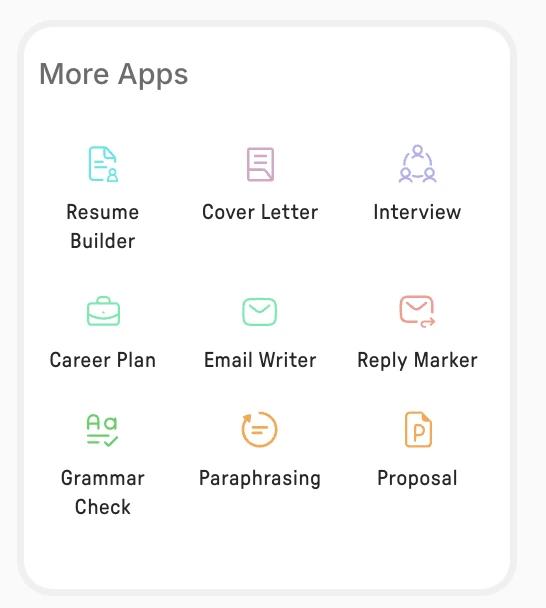
Specialized writing and business tools help with common drafting and editing tasks.
For essays and academic writing
Students can use Chat Smith to explore topics, structure arguments, develop outlines, and improve readability.
For example:
Create an outline for a 1,500-word university essay about how social media influences consumer behavior. Include a thesis statement, three main arguments, and counterarguments.
The suggested outline provides a starting point for organizing research and developing original ideas.
For presentations
Preparing slides often starts with deciding which information matters and how to communicate it clearly.
Chat Smith can turn meeting notes, reports, or broad topics into structured presentation content.
For example:
Turn these quarterly marketing results into an eight-slide presentation outline. Include performance highlights, key findings, challenges, and recommendations.
The response can include slide titles, key points, and suggested visuals that you can use in your preferred presentation software.
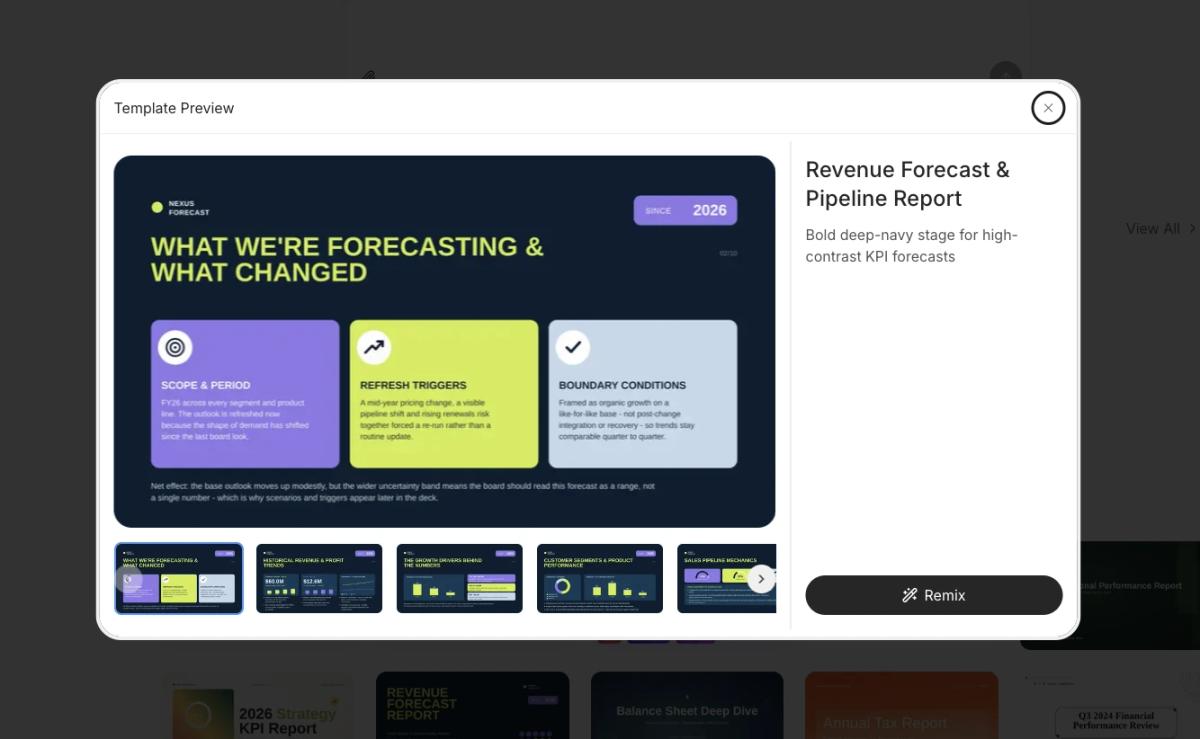
A presentation template example for turning business information into structured slides.
For emails and professional communication
Chat Smith helps users draft business emails, customer responses, invitations, and follow-up messages.
For more specific tasks, the AI email writer can help create professional messages based on your purpose and preferred tone.
For example:
Write a friendly follow-up email to a potential client after our first meeting. Keep it professional and under 120 words.
You can then adjust the wording to make the message shorter, warmer, or more direct.
What makes Chat Smith's writing tools useful?
One advantage is the combination of dedicated writing tools and access to multiple AI models.
Different models may offer different approaches to the same writing task. You can explore alternative structures, writing styles, and explanations without moving between separate applications.
Chat Smith also connects writing with document analysis, research, and visual creation, making it useful for tasks that involve more than text alone.
Remember to verify important information and review AI-generated content before submitting or publishing it.
3. AI Detector & Humanizer: Detect and Humanize AI-Generated Text
AI-generated writing can sometimes sound repetitive, overly formal, or different from your natural voice.
Chat Smith includes two tools that help users analyze and improve written content.
AI Detector: Understand how your text is classified
AI Detector analyzes text and estimates whether it contains patterns associated with AI-generated writing.
You can use it to review essays, articles, reports, or other written content.
However, AI detection isn't definitive. A high AI score doesn't prove that text was generated by AI, and human-written content can sometimes be incorrectly classified.
AI Humanizer: Make writing more natural
AI Humanizer helps rewrite text to improve clarity, sentence flow, and tone while keeping the original meaning.
For example:
Original:
The implementation of this strategy facilitates the enhancement of organizational productivity.
Rewritten:
This strategy helps teams work more efficiently.
The second version communicates the same idea more clearly.
For users who want greater control over sentence structure and wording, the related AI rewording tool provides another way to improve drafts.
Why use both tools together?
AI Detector helps users understand how automated systems may evaluate their text, while AI Humanizer focuses on improving readability.
Together with Chat Smith's broader writing features, they provide a convenient workflow for reviewing and polishing content.
These tools are best used to improve communication, not to misrepresent authorship or avoid academic and workplace requirements.
4. Calendar Agent: Manage Your Daily Schedule (Mobile App Only)
Managing meetings, appointments, and reminders can take time, especially when your schedule changes frequently.
Chat Smith's Calendar Smith Agent helps users manage calendar tasks through natural-language instructions.
Instead of manually entering every detail, you can describe the event you want to create.
For example:
Schedule a marketing team meeting next Friday at 10 AM and remind me 30 minutes beforehand.
Calendar Smith Agent can help with creating events, scheduling meetings, setting reminders, and organizing daily plans.
How is it different from a regular AI chatbot?
A typical chatbot might suggest a schedule that you still need to enter manually.
Calendar Smith Agent is designed to help turn scheduling requests into calendar actions, reducing some of that extra work.
It's useful for students managing deadlines, professionals planning meetings, and anyone organizing everyday commitments.
Calendar Smith Agent is currently available in the mobile app. Calendar permissions may be required, and users should review event details for accuracy.
Which AI Models Does Chat Smith Support?
One of Chat Smith's main features is access to multiple AI model families within a single interface.
As of November 2026, the model selector includes 12 options from five AI providers.
OpenAI GPT Models
The GPT family includes models designed for everyday conversations, idea generation, and more complex tasks.
Available options include:
GPT-6 Sol
GPT-6 Luna
GPT-5.6 Sol
For example, GPT-6 Sol is one of the supported GPT models users can explore for reasoning, writing, and problem-solving tasks.
Google Gemini
Gemini models provide additional options for general questions, analysis, and multimodal tasks.
Available models include:
Gemini 3.8 Flash
Gemini 4 Argon
Gemini 3.1 Pro
For everyday questions and quick brainstorming, Gemini 3.8 Flash is one of the available choices.
Anthropic Claude
Claude models are another option for writing, coding, and information analysis.
Available models include:
Claude Sonnet 5.5
Claude Haiku 5.5
They provide an alternative approach when you want to explore different writing styles, explanations, or ways of handling complex information.
xAI Grok
Chat Smith supports:
Grok 4.5
Grok-4 fast
Users can explore Grok 4.5 for conversations, brainstorming, and questions that benefit from considering different perspectives.
DeepSeek
DeepSeek offers models focused on reasoning, research, and information processing.
Available options include:
DeepSeek V4 Pro
DeepSeek V4 Flash
For research and document-related tasks, DeepSeek V4 Pro is one of the models available through the platform.
How Do You Choose the Right AI Model?
The best model depends on your task.
You might use one model to brainstorm ideas, another to organize information, and a third to review a draft.
If you're unsure where to start, choose an available default model and explore alternatives when needed.
Different models can produce different answers, but no single model is guaranteed to be best for every task.
Model availability and usage limits may change with product updates and subscription plans.
Chat Smith Pricing and Usage Limits
Chat Smith offers free access and paid PRO subscriptions.
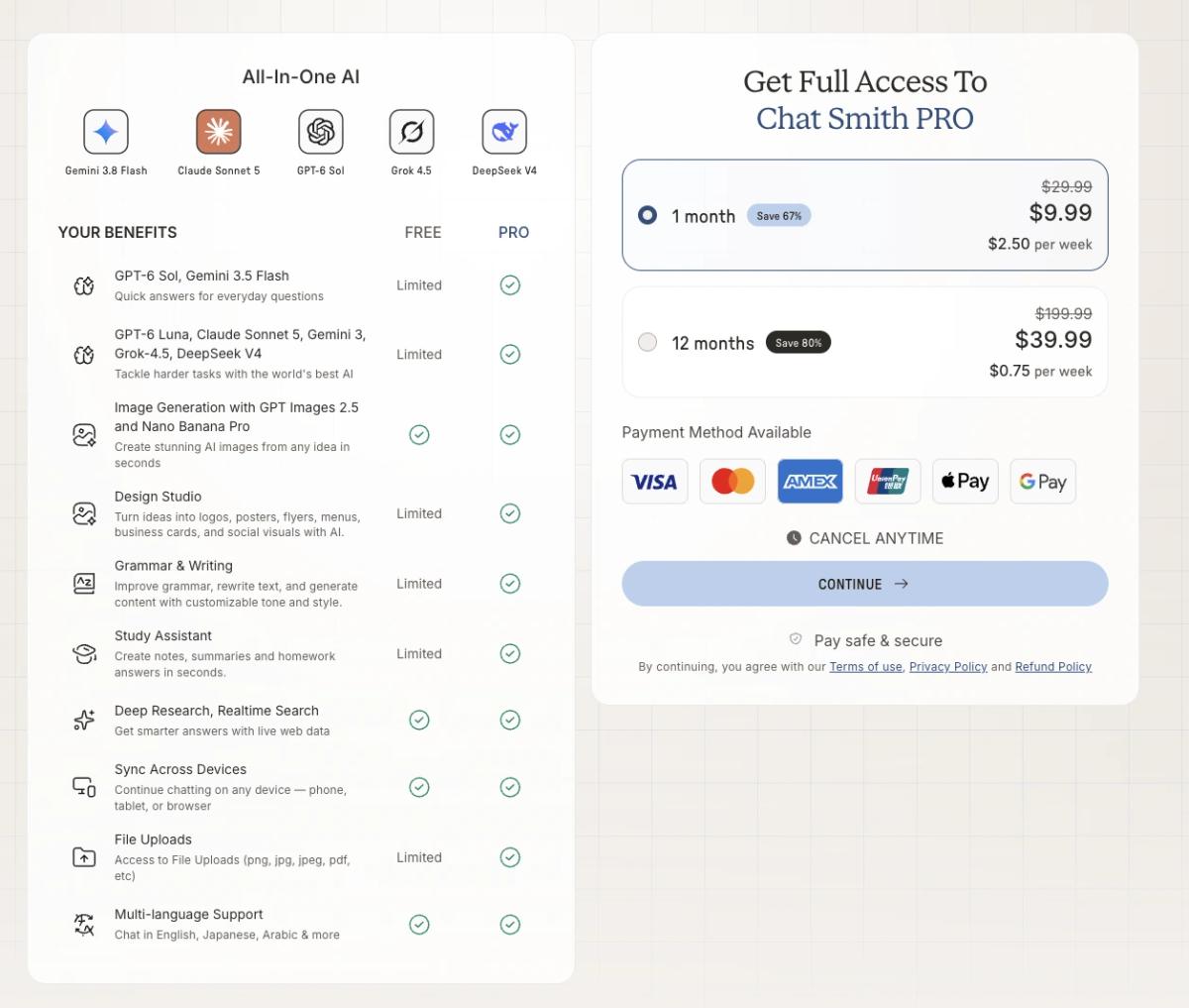
The free version lets users explore selected AI features with certain limits. PRO provides expanded access to supported premium models, creative tools, and other productivity features.
How Much Does Chat Smith Cost?
The following are examples of subscription prices listed on the U.S. Apple App Store as of November 2026.
Plan
Listed Price (USD)
Billing
Free
$0
Limited free access
Weekly PRO
$6.99
Per week
Monthly PRO
$9.99
Per month
Yearly PRO
From $39.99
Per year
Other prices are also listed for some subscription periods, including $49.99 and $69.99 for yearly plans.
The actual price may vary depending on your platform, region, and available offer. The Chat Smith subscription plans explain the differences between Free and PRO, while the final checkout screen shows the price applicable to your purchase.
Example of Chat Smith's Free and PRO benefits with monthly and annual offers; prices may vary.
Free vs PRO: What's Included?
Feature
Free
PRO
AI Chat
Limited access
Expanded access
Premium AI Models
Limited access
Additional model access
Design Studio
Limited access
Expanded access
AI Writing Tools
Limited access
Expanded access
AI Image Generation
Available with limits
Premium capabilities
Research and Web Search
Available features
Expanded capabilities
File Uploads
Limited access
Expanded access
Cross-Device Sync
Available
Available
A PRO subscription doesn't necessarily mean unlimited use of every model or feature. Usage allowances can vary depending on the selected tool and subscription.
Is Chat Smith Worth Paying For?
If you only need AI for occasional questions or basic writing tasks, the free version is a reasonable starting point.
PRO may provide more value if you regularly switch between premium AI models, create visual content, or work with documents and research.
Before subscribing, review the current price, included features, renewal terms, and usage limits.
Chat Smith processes information provided by users, including prompts, images, and uploaded documents, to deliver AI-powered features. According to its Privacy Policy, some content may be transmitted to third-party AI providers when needed to generate responses. As with any AI service, users should review the applicable policies and avoid sharing sensitive information unnecessarily.
AI-generated responses can sometimes contain inaccurate facts, incomplete explanations, or outdated information. Chat Smith includes research and real-time search capabilities, but these tools don't guarantee that every answer is correct. Important facts, calculations, and references should still be verified.
The same applies to generated writing, images, and designs. AI can help users work faster and explore ideas, but reviewing the final output remains important, especially for academic, professional, and commercial use.
Chat Smith vs ChatGPT: What's the Difference?
Chat Smith and ChatGPT share several capabilities, but they're different AI applications.
ChatGPT is developed by OpenAI and focuses on its own AI ecosystem. Chat Smith brings together multiple AI providers and dedicated productivity tools.
Feature
Chat Smith
ChatGPT
Developer
Chat Smith OpCo
OpenAI
AI Model Providers
OpenAI, Google, Anthropic, xAI, DeepSeek
OpenAI
Multiple Provider Model Selection
Yes
No equivalent built-in selector
AI Chat & Writing
Yes
Yes
Image Generation
Yes
Yes
Dedicated Design Studio
Yes
Different creative workflows
AI Detector & Humanizer
Dedicated tools
No equivalent dedicated built-in pair
Deep Research
Yes
Yes
File Analysis
Yes
Yes
Web & Mobile Access
Yes
Yes
Subscription Options
Free and PRO
Free and paid plans
What's the Main Difference?
ChatGPT provides OpenAI's native assistant experience, including its own features and integrations.
Chat Smith focuses on combining models from several providers with creative and productivity tools in a single application.
If you mainly use OpenAI's features, ChatGPT may be the more direct choice.
If you prefer exploring different AI models while working on writing, research, and visual content, Chat Smith offers an alternative workflow.
Chat Smith vs Other AI Assistants: Gemini, Claude, Grok & DeepSeek
Chat Smith also overlaps with other popular AI assistants, but each product offers a different experience.
The main distinction is that Chat Smith provides access to supported models from multiple providers, while official AI applications focus on their respective ecosystems.
AI Assistant
Main Focus
Key Difference
Chat Smith
Multi-model AI and productivity
Combines different model families with creative tools
Google Gemini
Google's AI ecosystem
Native Gemini experience and supported Google integrations
Claude
Writing, analysis, and technical tasks
Native Anthropic tools and features
Grok
Conversational AI from xAI
Grok's official experience and integrations
DeepSeek
DeepSeek AI models
Direct access to DeepSeek's native tools
Which AI Assistant Should You Choose?
If you rely on features exclusive to one provider, its official application may be a better fit.
If you regularly explore different AI models, Chat Smith offers a more convenient way to access supported options from one interface.
Keep in mind that using a model through Chat Smith doesn't necessarily include every feature available in the provider's official application.
When Should You Choose Chat Smith Over ChatGPT?
Both applications can help with everyday AI tasks. However, Chat Smith may be more suitable when convenience, creative workflows, and subscription value are priorities.
1. All Your Favorite AI Models in One Place
Switching between several AI applications can be inconvenient when you're working on different tasks.
Chat Smith lets you access supported GPT, Gemini, Claude, Grok, and DeepSeek models within one interface.
You can explore different approaches to writing, reasoning, and research without constantly changing applications.
Best for: Users who regularly work with multiple AI models and prefer one workspace.
2. Turn Creative Ideas Into Designs and Content
Some projects involve more than generating text.
For example, launching a small business might require brand ideas, a logo, promotional graphics, product descriptions, and marketing messages.
Chat Smith combines AI chat with visual design and writing tools. You can brainstorm concepts, create content, and use an AI image generator to explore visual ideas within the same platform.
Best for: Small business owners, marketers, creators, and anyone working with both written and visual content.
3. Get More Value From a Single AI Subscription
Subscribing to several AI services can become expensive, especially if you only need selected features from each one.
Chat Smith offers multiple AI model families and productivity tools through its own subscription plans.
For people who mainly need AI chat, writing, research, and creative tools, this could reduce the need for separate subscriptions.
However, actual savings depend on the prices, usage allowances, and provider-specific features you need.
Best for: Users looking for a broad range of AI capabilities under one subscription.
Is Chat Smith Legit and Worth Using?
Yes. Chat Smith is a legitimate AI application available on the Apple App Store, Google Play, and its official website.
The app is published by Chat Smith OpCo and provides tools for AI chat, content creation, research, and productivity.
Whether it's worth using depends on your needs.
Chat Smith may be a good choice if you want to:
Access several AI model families in one application.
Create written and visual content.
Research topics and summarize documents.
Organize work, study, and everyday tasks.
Explore AI features without maintaining multiple separate apps.
There are also some limitations. Premium models and features may require a subscription, usage allowances vary, and AI-generated results still need review. Some native capabilities from other AI providers may not be available through Chat Smith.
If you're curious, starting with the free version is a practical way to evaluate the experience before subscribing.
Final Thoughts
Chat Smith brings multiple AI models, creative features, and everyday productivity tools into one application.
Whether you're writing an email, researching a topic, designing marketing materials, or organizing daily tasks, it provides different ways to use AI without switching between several separate products.
The best choice depends on your workflow, the features you need, and how often you use AI.
If you want to explore the experience, you can start with the Chat Smith AI productivity platform and see how it fits into your daily work and life.
Frequently Asked Questions
Chat Smith is a multi-model AI chat app that gives you access to several leading AI models in one place, plus tools for writing, image generation, translation, summarization, and document analysis. Instead of juggling separate apps, you pick the right model for each task from a single subscription.
The Chat Smith Editorial Team brings together AI enthusiasts, researchers, and creators to make AI accessible and practical. We share trends, tool reviews, and actionable guides that help individuals and businesses stay informed, boost productivity, and get more from AI.